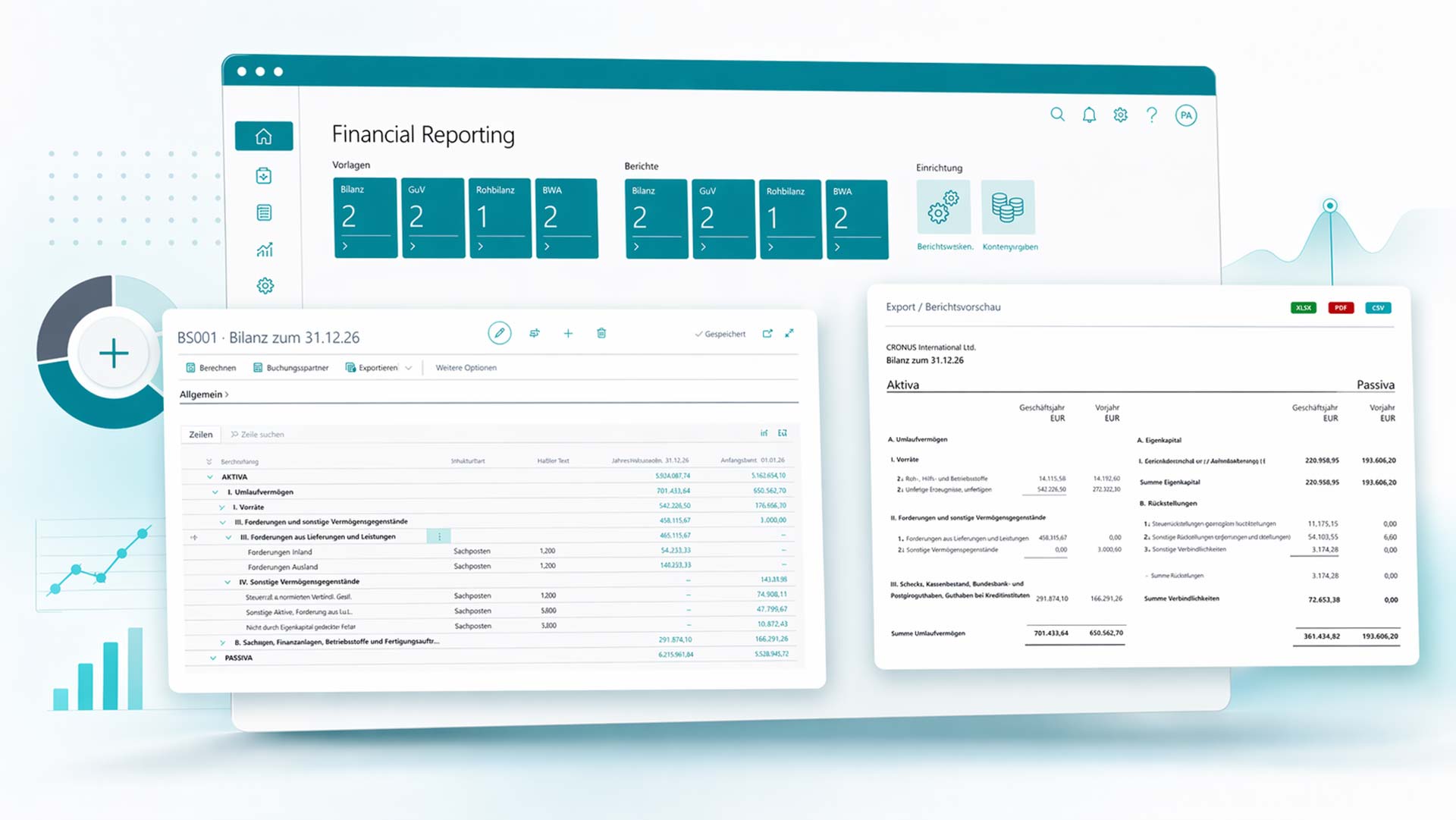
Finclair Financial Reporting is a powerful extension for Microsoft Dynamics 365 Business Central that enables you to perform professional financial analyses directly from your ERP system – without detours via external tools or manual data exports.
With our solution, tax advisors, accountants and controllers receive all relevant financial key figures in a structured, clear and readily available format – individually configured for each client.
Finclair Financial Reporting is specifically designed for tax advisors and accountants who manage multiple clients in Business Central. The solution saves valuable time and significantly improves the quality of your client reports.
Here's how it works
From general ledger account to finished report
Account reconciliation with drill-down to customer, vendor, and general ledger entries
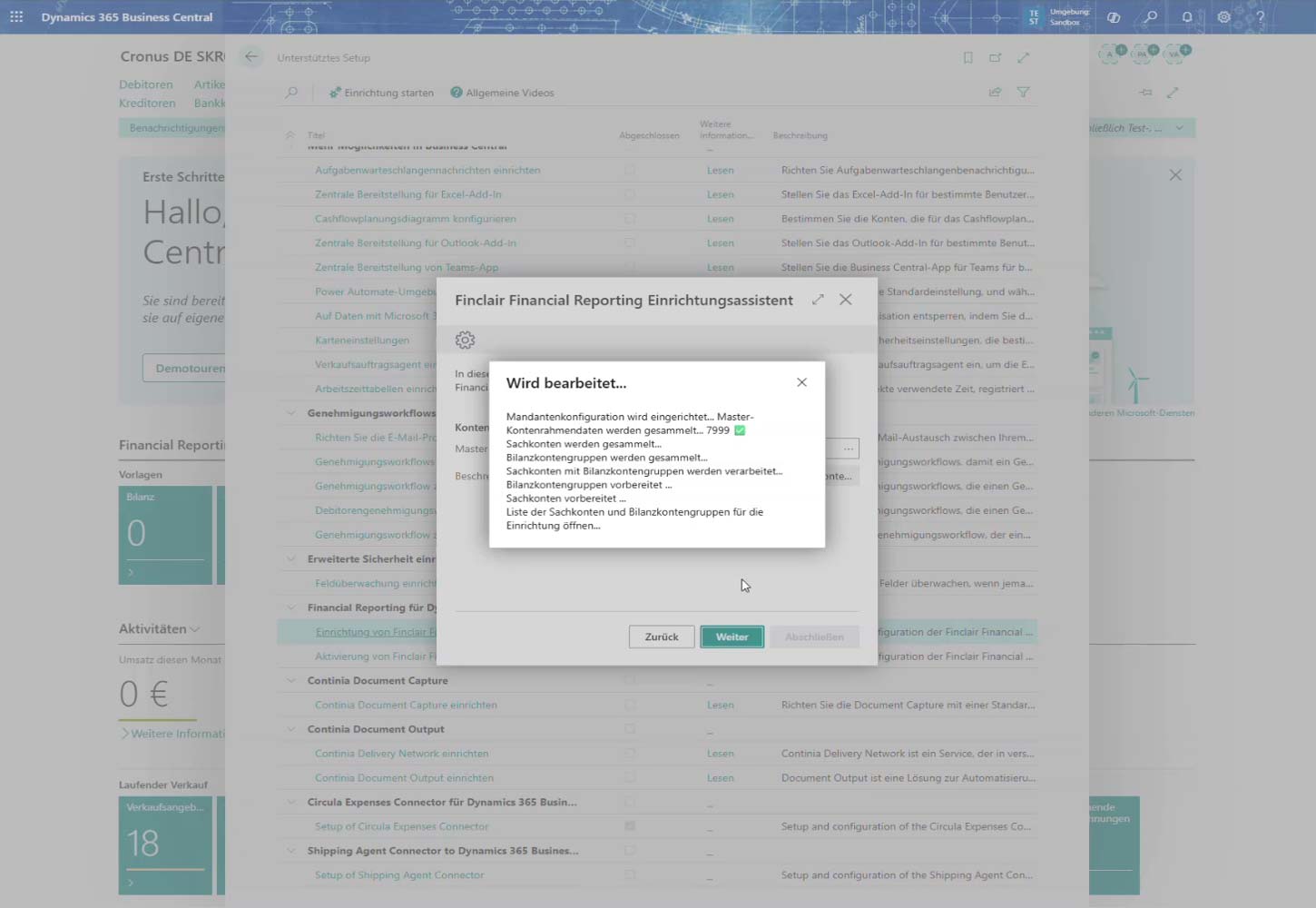
Setting up Finclair Financial Reporting takes just a few minutes using a guided setup wizard. This automatically handles all the necessary configuration steps:
Set up Finclair Financial Reporting in just a few minutes
Guided setup wizard for easy implementation
Automatic configuration import
Automatic updates of the master chart of accounts for SKR03 or SKR04
Automatic mapping of the client chart of accounts
Automatic assignment of accounts to balance sheet, P&L, and BWA
Reduced setup effort
Fast and consistent foundation for financial reporting
Finclair Financial Reporting Setup Wizard – Automatic Configuration in Business Central
Structured account group management
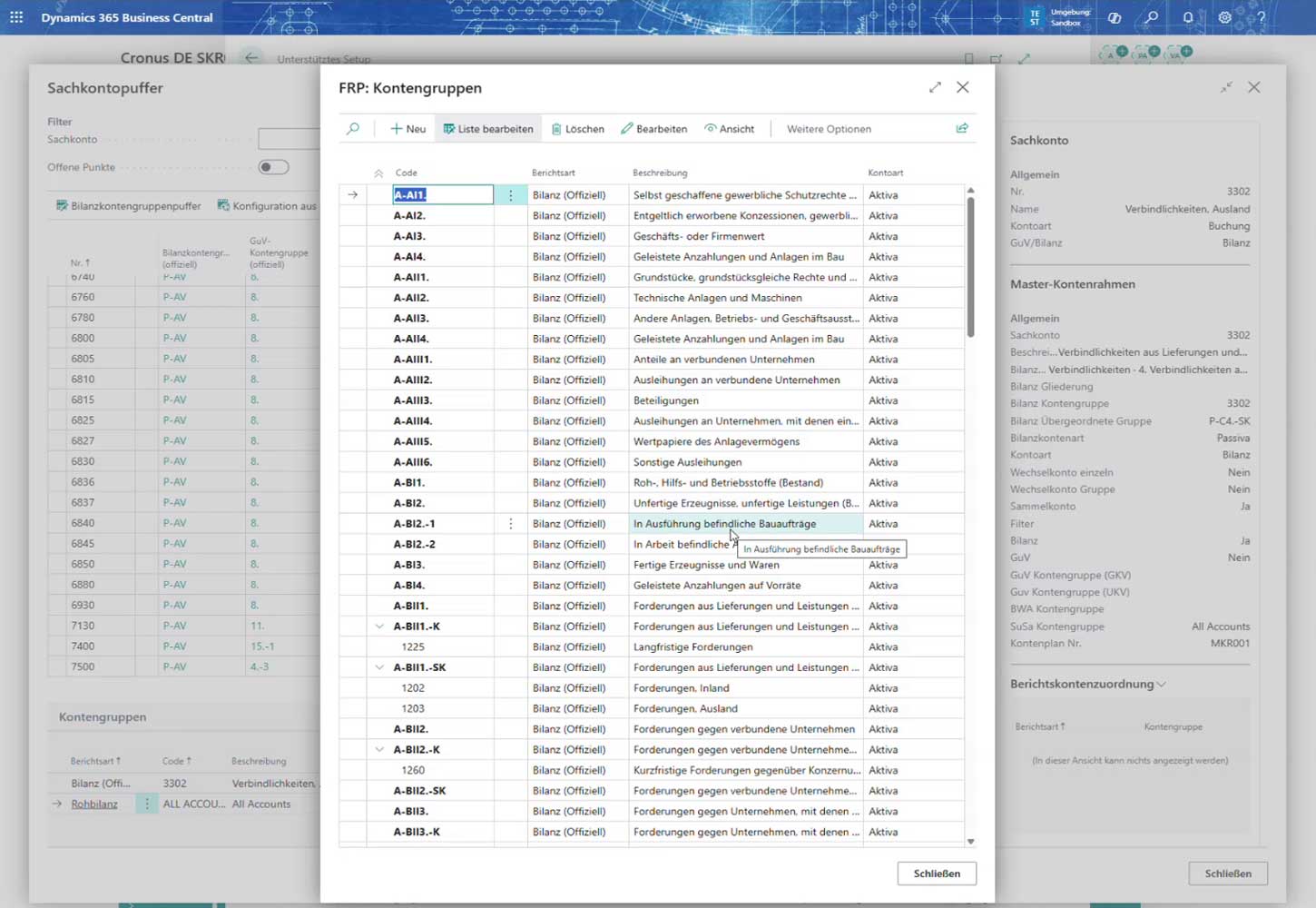
The core of Finclair Financial Reporting is the intelligent management of account groups (FRP account groups). Here you define how your general ledger accounts are grouped for reporting purposes.
Compatible with all common German chart of accounts (SKR03, SKR04, etc.)
Flexible assignment of general ledger accounts to reporting groups
Support for balance sheet, accounts receivable, and profit/loss structures
Lists can be edited directly in the Business Central interface
Once configured – permanently usable for all reports
FRP account groups – flexible configuration of the evaluation structure
Professional Excel output
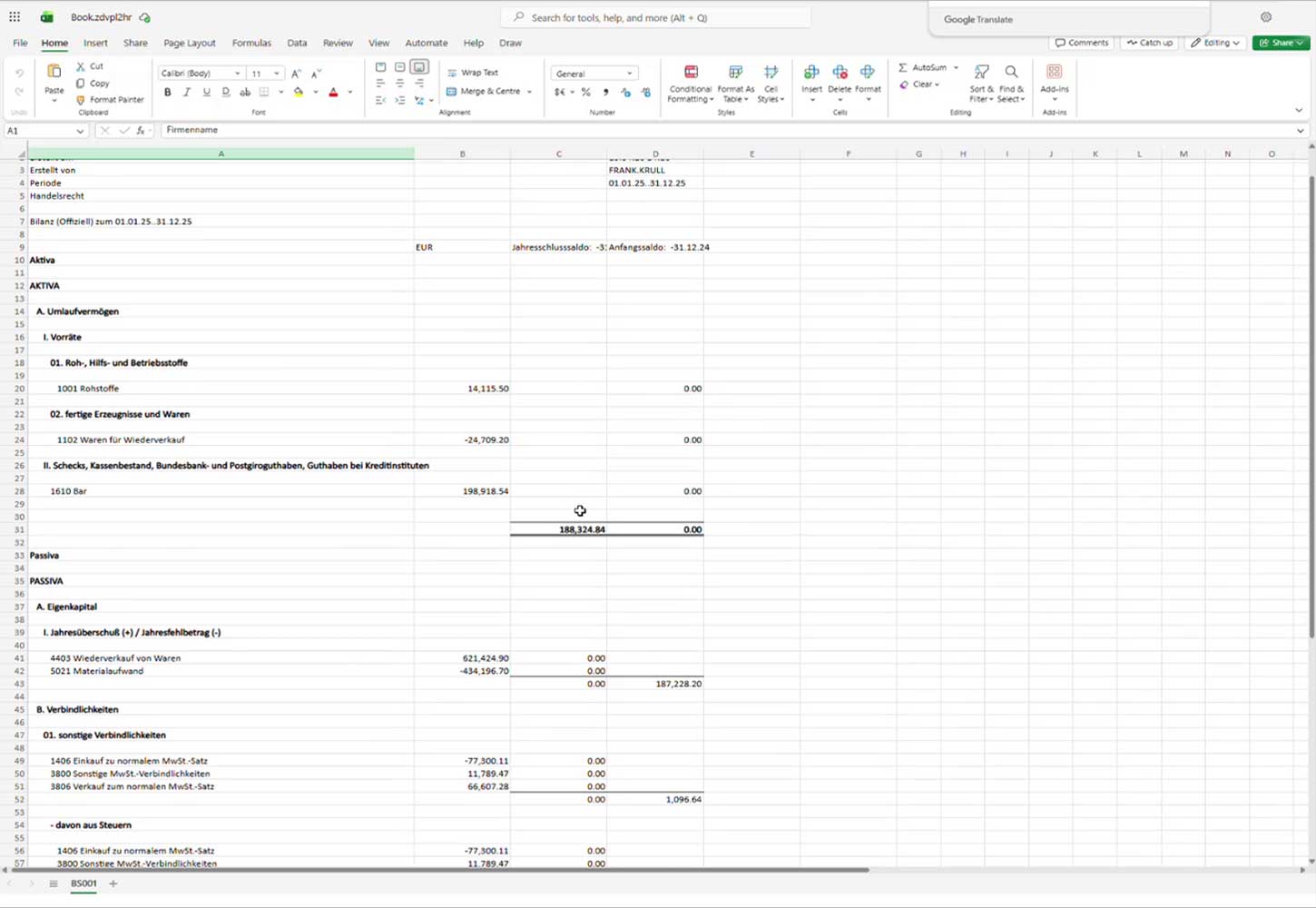
All financial reports are delivered as fully formatted Microsoft Excel spreadsheets. The result is impressive, with a clear structure that your clients will immediately understand:
Structured balance sheet and profit and loss statement analyses at the touch of a button
Automatically calculated totals and subtotals
Period comparisons: current year vs. previous year at a glance
Direct export for email sending or archiving
No manual post-processing required – professional layout out of the box
Example Excel output – automatically generated financial report with period comparison
Flexible reporting
In addition to Excel export, Finclair Financial Reporting offers a complete reporting system integrated with Business Central. Reports can be printed directly, filtered, and analyzed for different business areas.
Print-ready reports directly from Business Central
Filtering by date, cost center, dimension, and client
Support for all German annual financial statement structures
Scalable for individual clients up to large law firm portfolios
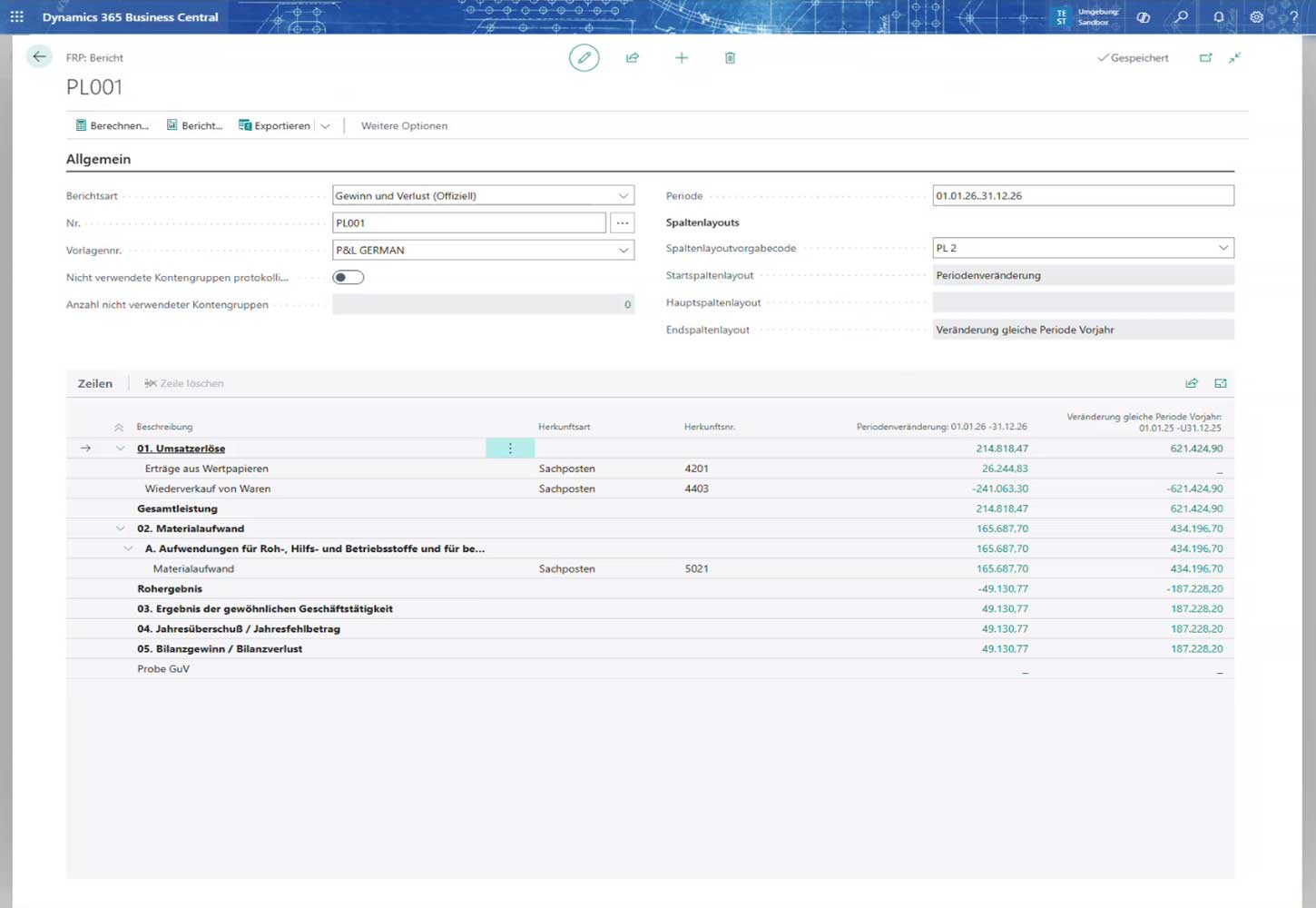
Integrated report view – Financial reports directly in Dynamics 365 Business Central
Pricing & Licensing
Transparent and flexible
Our pricing is based on the number of clients you connect in Business Central. The more clients you connect, the lower the price per client – for maximum scalability and cost-effectiveness.
Monthly license
Use Finclair Financial Reporting as a flexible monthly subscription – cancelable at any time, always up to date: