
- ERP-System
It means reorganising processes, data and responsibilities and bringing key areas of the business together on a shared platform.
Financial accounting, purchasing, sales, warehousing, logistics, production and reporting should not be considered in isolation. The real value of an ERP system only becomes visible when processes work consistently from beginning to end.
For small and medium-sized enterprises, an ERP implementation is therefore primarily an organisational and transformation project. The software provides the technical foundation, but process expertise, data quality, clear responsibilities and realistic implementation planning determine whether the project succeeds.
This article explains how an ERP implementation works, which costs may arise, what role Microsoft Dynamics 365 Business Central can play and which common mistakes companies should avoid.
Key Takeaways
- An ERP implementation is primarily a process and organisational project, not simply an IT project.
- Business processes should be considered end to end rather than implemented as isolated ERP modules.
- Standard functionality should be used wherever possible before custom development is commissioned.
- Data migration, testing and the involvement of future users are critical success factors.
- Project costs depend mainly on process scope, data migration, the number of companies, interfaces and customisations.
- An ERP implementation may be completed within a few months, but complex migrations and multi-company projects can take considerably longer.
- A phased rollout is not automatically the best option. The right approach depends on process dependencies and the existing system landscape.
What Does “Implementing an ERP System” Actually Mean?
ERP stands for Enterprise Resource Planning. An ERP system brings together key business processes and provides a shared database for them.
These include, for example:
- financial accounting and fixed asset accounting
- purchasing and accounts payable
- sales and accounts receivable
- warehousing and logistics
- project management
- production and service management
- payment processing
- reporting and controlling
- connected systems such as online shops, expense management platforms or shipping solutions
An ERP implementation therefore involves much more than the technical deployment of software. It includes process analysis, solution design, system configuration, data migration, interface development or integration, testing, training and preparation for the production launch.
Microsoft Dynamics 365 Business Central connects financial management, purchasing, sales, warehousing and other business processes on a central platform. The solution can also be extended through apps, interfaces and individual extensions.
When Is the Right Time to Implement an ERP System?
A new ERP system should not be introduced simply because the existing solution is getting older or because other companies are moving to the cloud. There should be a specific commercial or organisational reason for the project.
Typical reasons for implementing an ERP system include:
- The company is growing and existing spreadsheets or isolated applications no longer scale.
- Data has to be entered and maintained multiple times in different systems.
- Finance, purchasing, sales and warehousing work with separate data sets.
- Monthly and annual closing processes require too much manual work.
- Up-to-date reports are unavailable without additional preparation in Excel.
- An existing NAV or ERP system needs to be modernised or migrated to the cloud.
- Several companies or locations need to work with standardised processes.
- New sales channels such as e-commerce cannot be integrated properly.
- Expense management, payment processing, shipping or document processing create manual breaks in the workflow.
- Customisations in the legacy system prevent updates or make further development increasingly difficult.
However, not every one of these issues requires a complete new ERP implementation. In some cases, it is more economical to optimise the existing Business Central environment, redesign selected processes or add missing functionality through apps and interfaces.
A structured preliminary assessment should therefore determine whether a new implementation, a migration or a targeted optimisation of the existing system is the most appropriate approach.
New Implementation, Reimplementation or Migration?
Before the project begins, the company needs to decide how the transition to the new ERP system should be carried out.
New Implementation
In a new implementation, the ERP system is largely set up from scratch. Master data, open receivables and payables, opening balances and selected transaction data are transferred. Historical data may remain in the legacy system or be moved to an archive.
This approach provides an opportunity to clean up outdated structures and redesign processes consistently.
Reimplementation
In a reimplementation, the existing ERP system is not migrated on a one-to-one technical basis. Instead, the target environment is configured from scratch and only a defined selection of data is transferred.
This approach is often suitable when the existing solution has been heavily customised or when structures that have grown over many years should not be transferred unchanged to the new environment.
Technical Migration
In a technical migration, historical transaction data and, where appropriate, existing extensions are transferred in addition to master data and open entries.
The appropriate migration approach depends on factors such as:
- the source version currently in use
- the volume of data
- the number of companies or legal entities
- existing custom developments
- third-party apps currently in use
- the required scope of historical data
- the quality of the existing database
- retention and auditability requirements
The decision between a new implementation, reimplementation and technical migration has a major impact on the overall scope of the project. It should therefore be made before implementation begins.
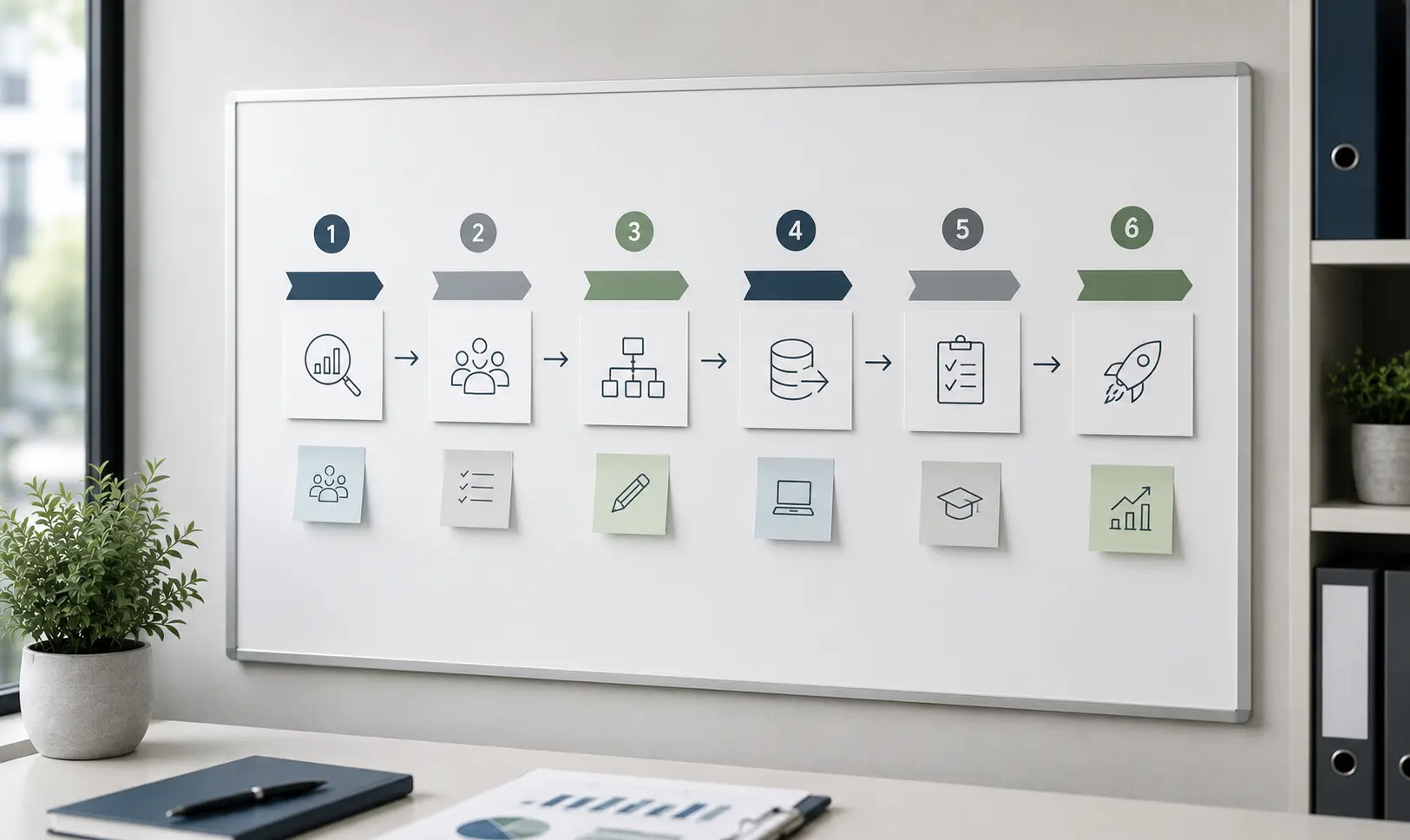
ERP Implementation Process: The Typical Project Phases
There is no single standardised process for every ERP implementation. However, the following phases have proven effective in projects involving small and medium-sized enterprises.
1. Define Project Objectives and Responsibilities
Before processes are analysed or systems selected, the objectives of the project must be clearly defined.
Possible objectives include:
- reducing manual work
- accelerating monthly closing
- standardising processes across several companies
- improving transparency over inventory and orders
- replacing a legacy system
- making the finance organisation more scalable
- integrating new sales channels
- improving reporting and controlling
In addition to clear objectives, the project requires clearly assigned responsibilities. The customer should appoint an internal project manager with sufficient decision-making authority. Key users from all relevant departments should also be involved.
Open decisions should not remain unresolved between the project team and management for weeks. Slow or unclear decision-making is one of the most common causes of project delays.
2. Analyse Processes End to End
An ERP implementation should not simply consist of discussing the finance, purchasing, sales and warehouse modules one after another.
What matters are the cross-functional processes, for example:
- from purchase request through purchase order and goods receipt to vendor invoice and payment
- from sales quotation through sales order and delivery to customer invoice and payment receipt
- from posting through account reconciliation and period-end closing to financial reporting
- from expense submission through approval and allocation to posting and reimbursement
- from an online shop order through inventory movement to financial accounting
Manual breaks, duplicate data entry and unclear responsibilities often arise at the points where departments and systems interact.
Finclair’s process-oriented approach therefore focuses not only on individual functions, but on the complete flow of data and value throughout the company.
3. Design Target Processes and the Solution Architecture
Based on the analysis of the current situation, the future processes are defined.
For every requirement, the following questions should be considered:
- Can the requirement be covered by standard Business Central functionality?
- Can the process be simplified or standardised organisationally?
- Is there an appropriate app or established industry solution?
- Is individual development genuinely necessary?
The guiding principle should be: standardise before customising.
Excessive custom development does not only increase implementation costs. It also makes testing, updates and ongoing system operation more difficult.
The solution design should also include all relevant interfaces. These may include expense management, e-commerce, banking, shipping providers, document management, EDI, payroll systems or external reporting solutions.
4. Configure the System and Implement Integrations
During this phase, Microsoft Dynamics 365 Business Central is configured in line with the agreed solution design.
These include, for example:
- companies and legal entities
- charts of accounts and posting setup
- dimensions and cost centres
- customer and vendor processes
- purchasing and sales
- warehouse locations and items
- number series
- payment processing
- roles and permissions
- workflows and approvals
- reports and analyses
- apps and interfaces
Individual extensions should be implemented as clearly separated and update-compatible extensions wherever possible. This keeps the Business Central standard clean and makes future version upgrades easier to manage.
5. Prepare and Migrate the Data
Data migration is not purely a technical task. It is also a business data cleansing project.
Before data is transferred, questions such as the following should be answered:
- Which master data is still genuinely required?
- Which customers, vendors and items are inactive?
- Are payment terms, posting groups and account allocations complete?
- Which open entries need to be transferred?
- How many years of historical data should be available?
- Do documents and attachments also need to be migrated?
- Are there duplicates or inconsistent records?
- How should data be harmonised across several companies?
A new ERP system does not automatically improve poor data. If incorrect structures are transferred without review, the same problems will continue in a more modern interface.
Data migration should therefore be planned early and tested several times.
6. Carry Out End-to-End Testing and Train Users
Testing individual screens or functions is not enough. Complete business processes need to be tested.
For example, a purchasing test scenario should not end when a purchase order has been created. It should also include goods receipt, the vendor invoice, approval, posting, payment and financial reporting.
In addition to regular processes, exceptional cases should also be tested:
- partial quantities and partial deliveries
- cancellations and credit notes
- foreign currencies
- incorrect interface data
- invoice amount discrepancies
- blocked customers or vendors
- period changes
- permission-related scenarios
- unavailable connected systems
User training should also be based on real processes. Employees do not need a generic software demonstration. They need to understand how to perform their daily work in the new system.
7. Prepare the Cutover, Go-Live and Stabilisation Phase
Before the go-live, a cutover plan should define which activities are carried out, in which sequence and by whom.
These include, for example:
- the final posting deadline in the legacy system
- the final data transfer
- reconciliation of balances and open entries
- activation of interfaces
- configuration of production job queues
- verification of users and permissions
- responsibilities in the event of errors
- communication channels during the production launch
The go-live is followed by a stabilisation or hypercare phase. During this period, user questions are prioritised, errors are corrected and smaller process adjustments are implemented.
An ERP project is not complete on the first productive working day. Only day-to-day use reveals which processes require further optimisation.
Phased Implementation or Big Bang?
A phased rollout may be appropriate when:
- companies operate largely independently
- individual locations can be migrated one after another
- additional modules are only needed at a later stage
- interfaces can be clearly separated
- the benefits of an initial project phase can be achieved quickly
A big-bang go-live may be more appropriate when:
- finance, purchasing, sales and warehousing are closely interconnected
- operating two systems in parallel for an extended period should be avoided
- shared master data and inventory are required
- interfaces cannot reasonably be divided between two systems
- a clear cut-off date, such as the start of a financial year, can be used
The rollout model itself does not determine the level of risk. The quality of the preparation does. A poorly planned phased rollout can be just as problematic as an inadequately tested big-bang implementation.
Why End-to-End Processes Determine Project Success
Many ERP projects are still organised by module. Financial accounting is set up first, followed by purchasing, sales and finally warehousing.
This approach overlooks the fact that business processes do not stop at module boundaries.
A vendor invoice, for example, is connected to the purchase order, goods receipt, approval process, accounts payable, payment processing and reporting. When only the posting of the invoice is considered, a large part of the overall process remains unaddressed.
Finclair therefore approaches ERP projects through consistent end-to-end processes:
- Purchase to Pay: from the initial requirement to supplier payment
- Order to Cash: from the customer order to receipt of payment
- Record to Report: from posting to the financial report
- Expense to Reimbursement: from the expense submission to reimbursement
- Shop to Finance: from the online order to financial accounting
This makes interfaces, responsibilities and dependencies visible at an early stage. It reduces later rework and helps prevent new isolated solutions from being created despite the introduction of a new ERP system.
Why Microsoft Dynamics 365 Business Central?
Microsoft Dynamics 365 Business Central is designed for small and medium-sized enterprises and brings together key commercial and operational processes on a single platform.
Its main advantages include:
- integrated financial accounting
- purchasing, sales and warehouse management
- project and service management
- manufacturing functionality in the Premium version
- support for multiple companies
- role and permission concepts
- extensibility through apps and interfaces
- integration with the Microsoft ecosystem
- continuous product development
- cloud or, depending on the scenario, on-premises deployment
Business Central can be extended through existing apps, individual extensions and open interfaces. This makes it possible to connect payroll systems, online shops, expense platforms, banks, shipping providers and other existing applications.
However, Business Central should not be selected solely because of the Microsoft brand or its range of functions. The decisive factor is whether the solution supports the company’s processes, business model and future development.
Selecting an ERP Partner: What Really Matters
Most modern ERP systems can cover fundamental processes such as purchasing, sales, financial accounting and warehouse management. The main differences usually lie in the quality of the implementation.
Companies should therefore consider the following factors when selecting an implementation partner.
Process Expertise
Does the partner only understand individual software functions, or can they design and implement complete business processes?
Finance Expertise
Can the partner do more than configure accounts and posting setup? Do they also understand value flows, subledger reconciliation, period-end closing and financial reporting?
Migration Expertise
Does the partner have experience with Microsoft Dynamics NAV, Business Central and other ERP migrations? Are data volume, historical data and existing extensions analysed before the project begins?
Integration Capabilities
Are existing systems considered early in the solution architecture, or are they only connected later through additional and unplanned interface projects?
Approach to Individual Requirements
Does the partner assess standard functionality and existing apps first, or is every deviation immediately treated as a custom development project?
Project Organisation
Are there clear work packages, responsibilities, decision-making processes, test concepts and a realistic cutover plan?
Support After Go-Live
Can the partner also provide support with updates, enhancements, ongoing operations and continuous process optimisation?
References are helpful, but it is even more important that the partner’s approach and project experience match the size and complexity of the company.
How Much Does It Cost to Implement an ERP System?
It is difficult to provide a reliable fixed price for an ERP implementation. The total cost consists of several components.
Licence Costs
Cloud ERP systems generally involve monthly or annual licence fees per user. The actual amount depends on the selected licence type, the required functionality and any additional solutions.
Additional costs may arise for:
- Business Central apps
- connectors and interfaces
- additional Microsoft services
- document management
- payment processing
- reporting solutions
- manufacturing or industry-specific functionality
The current Microsoft prices and licensing terms should always be reviewed before the project begins.
Implementation Costs
Project costs are influenced in particular by:
- the number of companies and locations
- the number and type of users
- the required modules and processes
- the scope of the data migration
- the number of historical years to be transferred
- the quality of the existing data
- interfaces to third-party systems
- required apps
- individual development
- roles and permissions
- the scope of user training
- project management
- testing and cutover requirements
A clearly defined project with a small number of users, standardised processes and a limited data transfer may be completed within the lower five-figure range.
When several companies, extensive historical data, manufacturing, logistics, individual extensions or numerous interfaces are involved, the costs may increase significantly and reach a six-figure amount.
Very low entry prices often do not include the complete effort required for process analysis, data migration, testing, training and the production launch.
Ongoing Costs
Further costs will generally arise after the go-live, including:
- ERP licences
- app and connector licences
- support and ongoing assistance
- further development
- training for new employees
- interface monitoring
- testing during updates
- additional storage capacity
- new legal or organisational requirements
These costs should be included in the business case from the beginning.
How Long Does an ERP Implementation Take?
For small and medium-sized enterprises, a period of approximately three to nine months may serve as an initial indication. However, this timeframe should not be treated as a binding estimate.
A small and highly standardised project may be completed more quickly. A project involving several companies, extensive migration, manufacturing, complex logistics or numerous interfaces may take twelve months or longer.
The main factors influencing the project duration include:
- availability of key users
- speed of decision-making
- data quality
- number of interfaces
- scope of individual developments
- complexity of the migration
- duration of testing and acceptance
- the selected rollout model
Many delays are not caused by technical configuration. They are caused by unresolved decisions, incomplete data and insufficient testing capacity on the customer side.
When Does an ERP Project Pay for Itself?
The return on investment of an ERP project rarely results from one single saving. Its commercial benefit is usually made up of several improvements.
These include, for example:
- less manual data entry
- lower error rates
- shorter processing times
- faster monthly closing
- automated reconciliation
- fewer supplementary Excel calculations
- up-to-date reporting
- better management of inventory and receivables
- reduced costs for maintaining legacy systems
- improved scalability as the company grows
Rather than applying a general requirement that every project must pay for itself within two or three years, companies should prepare a specific business case.
For example, current working hours, existing system costs, error-related costs and process times can be compared with the expected target state.
The anticipated benefits should also be reviewed after the go-live. This is the only way to determine whether the planned process improvements have actually been achieved.
Benefits and Risks of an ERP Implementation
Benefits
- a shared and consistent database
- fewer manual breaks between systems
- integrated business processes
- reduced manual work
- improved traceability of postings
- faster access to reporting
- scalable structures for further growth
- clearer responsibilities
- improved integration of connected systems
Risks
- significant internal time requirements
- unclear or frequently changing requirements
- insufficient data quality
- excessive individual development
- low user acceptance
- underestimated interfaces
- inadequate testing
- no clear plan for operations after go-live
These risks cannot be eliminated completely. However, they can be reduced significantly through realistic project planning and clear responsibilities.
Common ERP Implementation Mistakes
The Software Is Selected Before the Objectives Are Defined
A system is selected before the company has clarified which problems the project is intended to solve.
Processes Are Only Considered Within Individual Departments
As a result, handovers, interfaces and responsibilities between departments remain unclear.
Existing Processes Are Digitised Without Question
Not every historical process should be reproduced in the new system. An ERP implementation provides an opportunity to remove unnecessary steps.
Custom Development Begins Too Early
Custom solutions are commissioned before standard functionality, organisational changes or available apps have been evaluated.
Data Migration Starts Too Late
Duplicates, incorrect master data and unclear historical data requirements only become visible shortly before the go-live.
Key Users Do Not Have Enough Time
ERP projects cannot be delegated entirely to the implementation partner. Business decisions and acceptance must come from within the company.
Only Ideal Standard Scenarios Are Tested
Problems often occur with partial quantities, cancellations, discrepancies, permissions or unavailable connected systems.
The Cutover Is Not Rehearsed
Without a detailed process and a test migration, avoidable surprises may occur during the production launch.
Operations After Go-Live Are Not Planned
Support, further development, updates and responsibilities are only discussed once problems have already occurred.
Best Practices for a Successful ERP Project
- Document objectives and expected benefits in writing.
- Appoint an internal project manager with decision-making authority.
- Involve key users at an early stage.
- Analyse processes end to end.
- Evaluate standard functionality before commissioning custom development.
- Prioritise requirements.
- Begin data cleansing early.
- Define realistic test scenarios.
- Plan several test migrations.
- Prepare a detailed cutover plan.
- Train users based on their actual processes.
- Include a hypercare phase after go-live.
- Establish a permanent process for further development and release management.
Current Developments in ERP Systems
Cloud and Continuous Updates
With Business Central Online, Microsoft operates the technical platform and provides regular updates.
This removes the traditional multi-year major upgrade cycle associated with many legacy systems. However, companies still require professional release and test management.
Business-critical processes, interfaces and extensions should be tested in a sandbox environment before major updates are applied.
The ability to remain update-compatible should therefore be treated as an important architectural principle from the start of the implementation.
Artificial Intelligence and Automated Finance Processes
Artificial intelligence is becoming increasingly important in ERP systems. In the future, it will provide greater support for processing, analysing and automating business transactions.
Potential areas of application include:
- document processing
- suggested accounting entries
- analysis of financial data
- support with reports and evaluations
- automation of recurring tasks
- identification of anomalies
- support with master data maintenance
However, the value of these functions depends heavily on structured processes, reliable master data and clearly assigned responsibilities. AI cannot compensate for poor data or unclear workflows.
Finclair is therefore actively exploring how AI-enabled financial accounting can be meaningfully integrated with Microsoft Dynamics 365 Business Central.
Apps Instead of Monolithic Custom Development
Companies increasingly expect ERP systems to be extended flexibly. Instead of building large, difficult-to-maintain custom solutions directly into the standard system, functionality is increasingly added through clearly separated apps and connectors.
This allows companies to retain the standard solution while still addressing specific requirements.
How Finclair Supports ERP Projects
Finclair supports small and medium-sized enterprises with the analysis, implementation, migration and ongoing development of Microsoft Dynamics 365 Business Central.
The focus is not on isolated software modules, but on the company’s actual process and system landscape. The process analysis is used to create a prioritised project plan with clear milestones, realistic effort estimates and a focus on integrated solutions.
Finclair’s core areas of expertise include:
- implementing Microsoft Dynamics 365 Business Central
- migrating Microsoft Dynamics NAV and Business Central On-Premises to the cloud
- optimising existing Business Central environments
- financial accounting and value flows
- purchasing, sales, warehousing and logistics
- reporting and controlling
- data migration
- interfaces and system integrations
- developing proprietary Business Central apps
- training users and supporting the production launch
Finclair also develops its own product components for reporting, integrations and automated finance processes.
These include, for example:
- Financial Reporting: Balance sheet, profit and loss statement, BWA management report and trial balance directly in Business Central, including drill-down to individual ledger entries.
- Circula Connector: Transfer of approved expenses and travel costs from Circula to financial accounting in Business Central.
- E-commerce and Integration Solutions: Connection of online shops and other operational applications to Business Central.
As a result, ERP implementation, reporting and integrations are not treated as separate projects. They are considered components of an integrated finance and process architecture.
Checklist: Preparing for an ERP Implementation
The following points should be clarified before the project begins:
- Is there a specific commercial or organisational reason for the project?
- Which objectives should the new ERP system achieve?
- Which business processes are affected?
- Which processes currently involve manual breaks between systems?
- Should the system be newly implemented, reimplemented or technically migrated?
- Which companies and locations are included in the project scope?
- Which third-party systems need to be connected?
- Which historical data is required?
- What is the current quality of the master data?
- Who will take responsibility for internal project management?
- Which employees will be available as key users?
- Who is authorised to make business decisions?
- Which requirements are mandatory and which are optional?
- Which requirements can be covered by the standard solution?
- Which apps are required?
- Which individual developments are unavoidable?
- How will testing and acceptance be organised?
- Which rollout model is appropriate?
- What will the cutover plan look like?
- Who will be responsible for support and further development after go-live?
Frequently Asked Questions About ERP Implementation
Is an ERP System Appropriate for Every Small or Medium-Sized Business?
In some cases, optimising the existing system or adding suitable apps and interfaces may be sufficient.
How Long Does It Take to Implement an ERP System?
Projects involving several companies, extensive data migrations, manufacturing or numerous interfaces may take considerably longer.
How Much Does a Business Central Implementation Cost?
A small and standardised project may fall within the lower five-figure range. More complex projects may require a six-figure budget.
A reliable estimate can only be prepared after a structured assessment of the processes and existing system landscape.
Should Business Central Be Deployed in the Cloud or On-Premises?
An on-premises deployment may still be appropriate for specific technical, regulatory or operational requirements. In that case, the company or its service provider must take greater responsibility for infrastructure, operations, updates and security.
The decision should be based on the company’s specific requirements.
Should an ERP System Be Implemented in Phases?
When processes are closely connected, a well-prepared combined go-live may be more appropriate. The decisive factors are the dependencies, data flows and feasibility of running systems in parallel.
How Much Custom Development Is Appropriate?
The Business Central standard, organisational process changes and existing apps should always be evaluated first. Individual development is appropriate when it creates a clear commercial benefit or supports a business-critical process that cannot be covered adequately by the standard solution.
What Role Does Data Migration Play?
Data migration should be planned early, assigned to business owners and tested several times. Companies should not automatically transfer every historical record from the legacy system.
What Role Do Existing Tools Such as Online Shops or Expense Management Systems Play in ERP Selection?
Existing systems should therefore be identified early and included in the solution architecture.
Can an ERP Project Be Handed Over Entirely to an External Partner?
Successful projects therefore require a joint team of internal process owners and external specialists.
What Distinguishes a Successful ERP Implementation From an Unsuccessful One?
Final Thoughts
Implementing an ERP system means aligning processes, data and the organisation. The software is not the starting point. It is the tool used to implement a clearly defined target state.
Companies should therefore not begin by asking which functions an ERP system offers. They should first understand which processes need to be improved, where manual breaks occur and which data is required for effective decision-making.
Companies that take an end-to-end view of their processes, use standard functionality consistently, plan data migration early and actively involve future users create a strong foundation for project success.
Finclair supports small and medium-sized enterprises in implementing Microsoft Dynamics 365 Business Central not only from a technical perspective, but also in integrating it sustainably into the existing process and system landscape. This includes process analysis, migration, implementation, reporting, apps and connected systems.
Are you planning to implement, migrate or optimise Microsoft Dynamics 365 Business Central? In a structured initial consultation, we analyse your current situation, the relevant processes and the existing system landscape and use these findings to develop a realistic next step.